India · CTS-2010 cheques
Cheque printing software for Indian businesses
Print vendor, salary, rent and EMI cheques on your bank's CTS-2010 leaf, with no handwriting and no overwriting. Save each bank's layout once and print a whole batch in one go.
How cheques work in India
Clearing rules leave no room for a corrected cheque
Indian cheques clear by image under the Cheque Truncation System. These Reserve Bank of India rules make an accurate, printed cheque worth more than a handwritten one.
CTS-2010 standard leaves
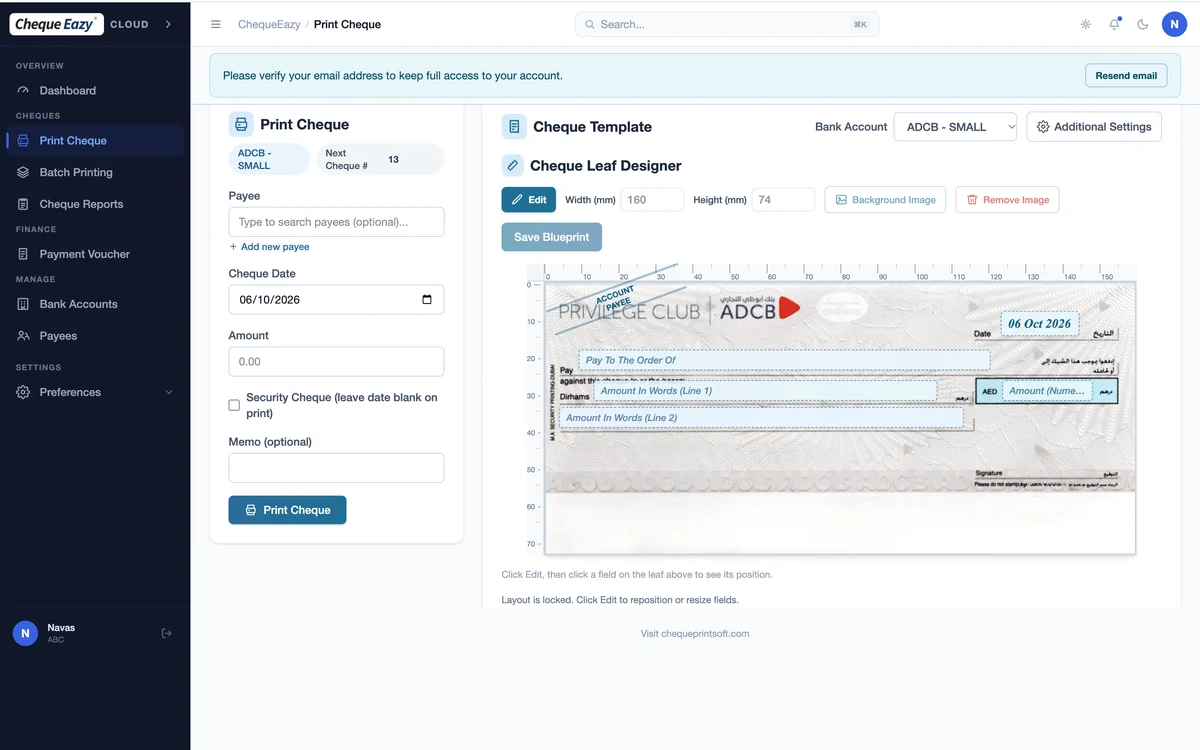
Banks issue cheques to the CTS-2010 standard, with fixed positions for the date, payee and amount. Lay out your bank's leaf once and reuse it.
No alterations allowed
Apart from the date, banks won't accept a cheque with changes or corrections. A typo means a cancelled leaf, so printing pays for itself.
Positive Pay
Banks can ask you to confirm high-value cheques before they clear. ChequeEazy's register keeps the number, date, payee and amount ready.
Three-month validity
A cheque is valid for three months from its date. PDC reminders flag issued and received cheques before they fall due.
Post-dated series
Batch print a year of rent, loan or EMI cheques at fixed intervals, with consecutive cheque numbers.
Cheque registers
Date-wise, payee-wise and bank-wise reports for bank reconciliation and audits, exportable to PDF and Excel.
Indian banks
Print on any Indian bank's cheque
Public or private sector, the layout designer handles any pre-printed leaf. Place the fields to the millimetre once and save the layout as a reusable blueprint.
- State Bank of India
- HDFC Bank and ICICI Bank
- Axis Bank and Kotak Mahindra Bank
- Bank of Baroda and Punjab National Bank
- Any other bank's CTS-2010 leaf
Choose an edition
Install it, or use it in the browser
Desktop
Install on a Windows 10 or 11 PC, pay once, and keep all data on your machine. Explore Desktop.
Cloud
Print from any browser across branches, with automatic backups and multi-company access. Explore Cloud.
FAQ
Cheque printing in India: questions
Does ChequeEazy work with CTS-2010 cheques?
Yes. CTS-2010 standardises where fields sit on Indian cheques. Lay out your bank's CTS-2010 leaf once with the layout designer, and every cheque after that prints in the same positions.
Which Indian banks are supported?
ChequeEazy prints on any bank's pre-printed cheque leaf, including SBI, HDFC Bank, ICICI Bank, Axis Bank, Kotak Mahindra Bank, Bank of Baroda and Punjab National Bank. You save each bank's layout once and reuse it.
Why print cheques instead of writing them by hand?
Under CTS, banks don't accept changes or corrections on a cheque other than to the date, so one mistake means cancelling the leaf. Printing removes handwriting errors and keeps every cheque legible for image-based clearing.
Can I keep a register of cheques for Positive Pay?
Yes. ChequeEazy keeps a register of every cheque you print with its number, date, payee and amount, filterable by bank and date. Use it to confirm details when your bank asks for them under Positive Pay.
What are the support hours for India?
Our team is in Dubai and answers Monday to Friday, 9:00 to 18:00 Gulf Standard Time, which is 10:30 to 19:30 IST, by phone, email and WhatsApp.
Other regions
Cheque printing across the region
UAE
Ready-made UAE bank layouts, rent PDCs and security cheques
Cheque printing software for the UAEGCC countries
Saudi Arabia, UAE, Qatar, Kuwait, Oman and Bahrain
Cheque printing software for the GCCMiddle East (Arabic)
Bilingual cheques with the amount in Arabic words
Cheque printing software for the Middle EastEgypt
Arabic cheques for National Bank of Egypt, Banque Misr and CIB
Cheque printing software for EgyptPrint your first cheque in India today
Start a free trial, or book a demo and we'll set up your bank's CTS-2010 layout with you.