ChequeEazy Enterprise · Real estate
Ai cheque management for real estate
Scan any client's cheque and Ai detects the layout, so you can print on it straight away. Read and track every rent cheque to clearance, with Salesforce, Dynamics 365 or your own system updated automatically.
Used by UAE real estate leaders




Print on client cheques
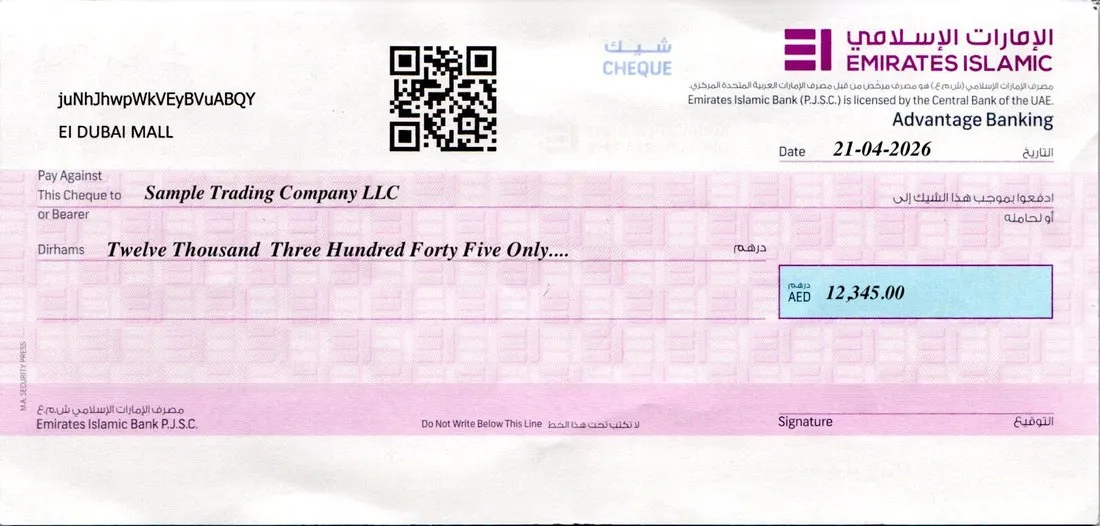
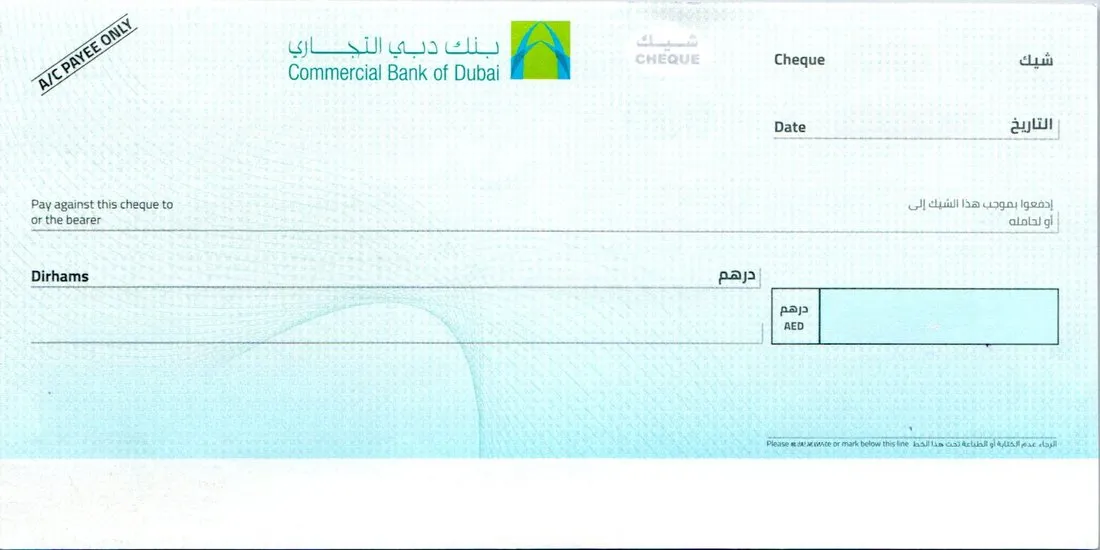
Scan the cheque. Ai detects the layout. Print.
Tenants and buyers hand over cheque books from every bank. You don't need a template for each one. Scan the leaf and Enterprise works out where every field goes, then prints it perfectly aligned. See how Ai scanning works.
-
1
Scan the client's cheque
Use any document scanner or a phone photo. One leaf or the whole cheque book.
-
2
DATEPAYEEAMOUNT IN WORDSAMOUNT
Ai detects the layout
Bank, field positions and cheque size are found automatically and saved for next time.
-
3
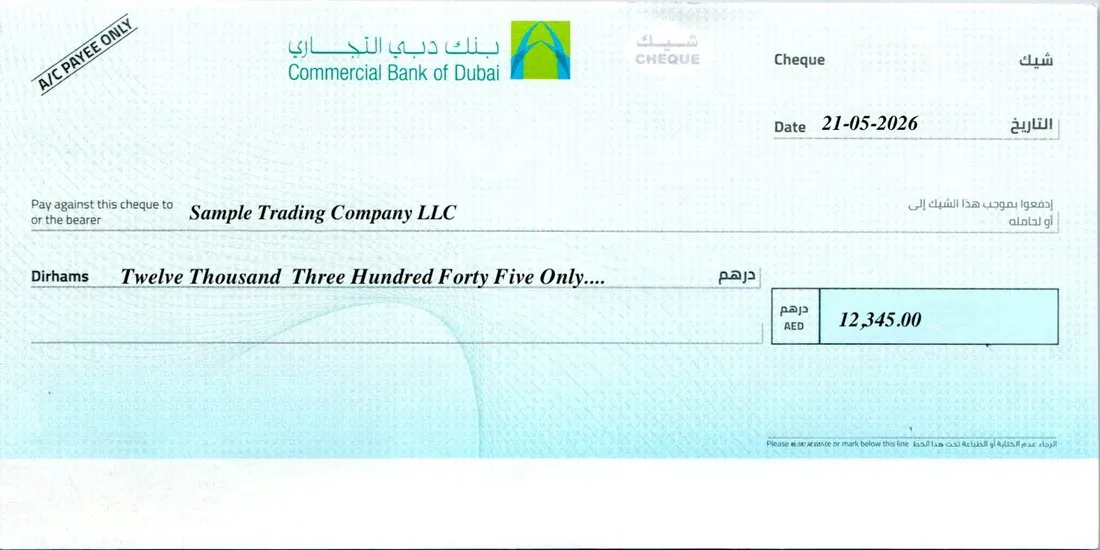
Print, perfectly aligned
Date, payee and amount in words and figures print exactly in place, in English or Arabic.
Watch Aira in action
Every client, a different cheque. Aira prints on all of them.
One minute: scan a client's cheque from any bank, let Aira detect the layout, then type the amount and print, perfectly aligned.
Inside ChequeEazy Enterprise
Ai cheque printing software, screen by screen
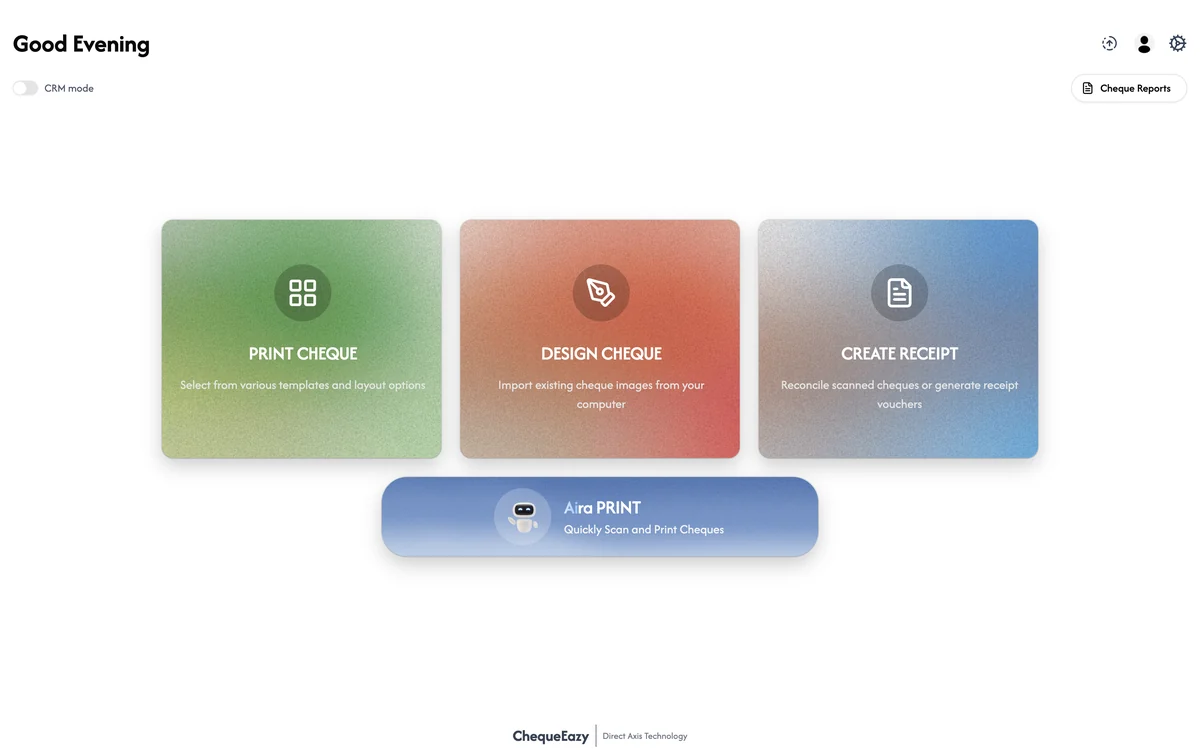
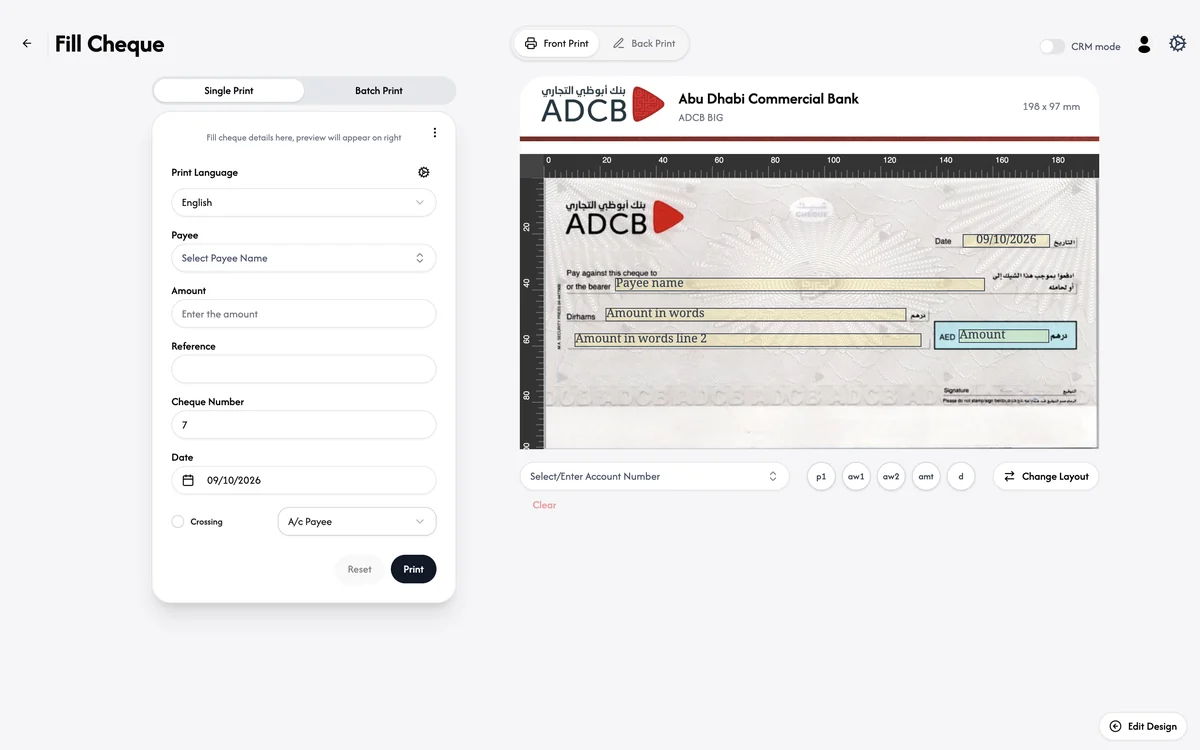
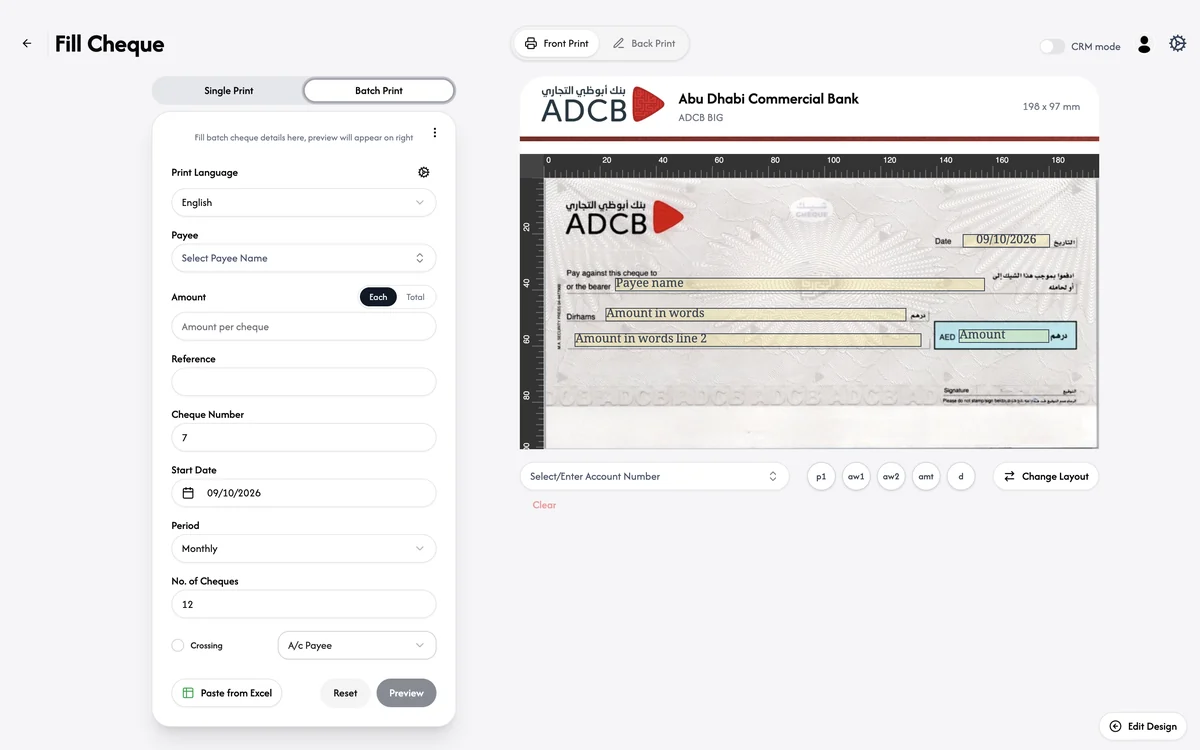
Open Aira Print, scan the client's cheque, and print one cheque or a whole instalment plan on the layout the Ai detected.
One lease, every cheque
Every rent cheque tied to its lease
A one-year tenancy can mean four, six or twelve post-dated cheques plus a security deposit. Enterprise keeps each one linked to the tenant, unit and contract, and tells you what to deposit and when.
- Deposit reminders before each cheque date
- Returned cheques flagged with the reason and linked replacements
- Portfolio view of all PDCs due by building, bank or week
| Cheque | Date | Amount | Status |
|---|---|---|---|
| Deposit | 01-01-2026 | AED 6,000 | Held |
| Rent 1 of 4 | 01-01-2026 | AED 30,000 | Cleared |
| Rent 2 of 4 | 01-04-2026 | AED 30,000 | Cleared |
| Rent 3 of 4 | 01-07-2026 | AED 30,000 | Returned |
| ↳ Replacement | 15-07-2026 | AED 30,000 | Cleared |
| Rent 4 of 4 | 01-10-2026 | AED 30,000 | Deposit in 5 days |
Ai capabilities
Stop retyping tenant cheques. Review only the exceptions.
Ai cheque scanning
Scan a tenant's or buyer's cheque bundle. Ai reads payee, amount in figures and words, date, bank and cheque number from every cheque.
Auto-detection
Detects each cheque on a scanned page and recognises the bank layout automatically, including banks you've never set up.
Mismatch alerts
Flags wrong payee names, words that don't match figures, missing signatures, and dates that don't match the payment schedule.
PDC schedule per lease
Every post-dated cheque organised by tenant, unit and building, with deposit reminders before each due date.
Returns & replacements
Record returned cheques with the reason, chase the tenant, and link the replacement cheque to the original.
Outgoing cheques too
Print refunds, security deposit returns, contractor payments and broker commissions on any bank's leaf.
Integrations
Connect to Salesforce, Dynamics 365 or any application
Leasing, sales and finance see cheque status where they already work. No spreadsheets passed between departments. See how the integration works.
Who it's for
Built for the way UAE real estate collects and pays
Landlords & property managers
Collect rent PDCs at move-in or renewal, deposit on time, and see every unit's payment status across your portfolio.
Developers
Track off-plan instalment cheques against each buyer's payment plan, and print refunds and contractor payments.
Brokerages
Log cheques received on behalf of landlords, hand them over with a record, and print commission payments.
Integration & deployment
Fits into the systems you already run
Ready integrations for Salesforce and Dynamics 365, an open API for everything else, and apps for both Windows and Mac.
- Windows & Mac: native apps for both, plus browser access, sharing the same data
- Salesforce & Dynamics 365: ready connectors for leases, units, contacts and payment plans
- Any other application: REST API, webhooks or file import/export for ERP, accounting and property systems
- Approvals & audit trail: maker-checker sign-off for outgoing cheques and a full log of every action
- Deployment choice: managed cloud, private cloud or on-premise
- Dedicated onboarding: setup, scanner and printer calibration and staff training by our Dubai team

FAQ
Enterprise for real estate: questions
Can I print on my clients' cheques?
Yes. This is what Enterprise is built for. Scan the client's cheque leaf from any bank, the Ai detects the layout and the position of every field, and ChequeEazy prints the date, payee and amount exactly in place. There's no template to set up and nothing to measure.
Does ChequeEazy Enterprise work on Mac?
Yes. Enterprise has apps for both Windows and macOS, and also runs in the browser, so mixed Windows and Mac teams use the same cheque records and layouts.
Which applications can Enterprise integrate with?
Enterprise has ready integrations for Salesforce and Microsoft Dynamics 365, and connects to any other application, such as ERP, accounting or property management systems, through its REST API and webhooks, or by file import and export.
How does ChequeEazy Enterprise help real estate companies?
Landlords, property managers and developers collect and issue large numbers of post-dated cheques. Enterprise scans each tenant's or buyer's cheque bundle, reads every cheque with Ai, links it to the right lease, unit or sales record, and tracks it through deposit, clearance or return. It also prints the cheques you issue.
How does Ai cheque scanning work?
Scan a tenant's cheques with any document scanner. Enterprise detects each cheque, reads the payee, amount in figures and words, date, bank and cheque number, and flags any cheque where words and figures don't match, the payee name is wrong, or the date doesn't match the lease schedule.
What does automatic detection do?
Enterprise detects individual cheques on a scanned page and recognises the bank and layout automatically. Scan a blank leaf from any bank and it also builds a print-ready template for the cheques you issue.
How does the Salesforce or Dynamics integration work for real estate?
Cheques are linked to your Salesforce or Dynamics 365 records, for example tenancy contracts, units, tenants, or off-plan sales and payment plans. When a cheque is scanned, deposited, cleared or returned, its status and image are written back to the record, so leasing, sales and finance see the same information.
Can we track bounced cheques and replacements?
Yes. Returned cheques are flagged against the lease or sale with the return reason, and the replacement cheque is linked to the original so nothing is lost in follow-up.
Can Enterprise be deployed on-premise?
Yes. Enterprise is available as a managed cloud, a private cloud in your own tenancy, or on-premise, depending on your IT and compliance requirements.
How is Enterprise priced?
Enterprise is priced per deployment based on number of units or leases, users, scan volume and integrations. Book a demo and we'll send a tailored quote.
See it on your own client cheques
Bring a cheque from any bank to the demo. We'll scan it, detect the layout and print on it in front of you, on Windows or Mac.